On this page
This guide is for fashion and clothing stores choosing a nopCommerce theme, or briefing a developer to build one. It goes through the pages that sell clothes, what nopCommerce does on its own and what the theme has to add. The screenshots are from Linden, the fashion theme we make, running on a nopCommerce 5.00 store with its demo catalog. We say where a point is specific to Linden.
For how themes work in general, and how to install or build one, read our nopCommerce themes guide first.
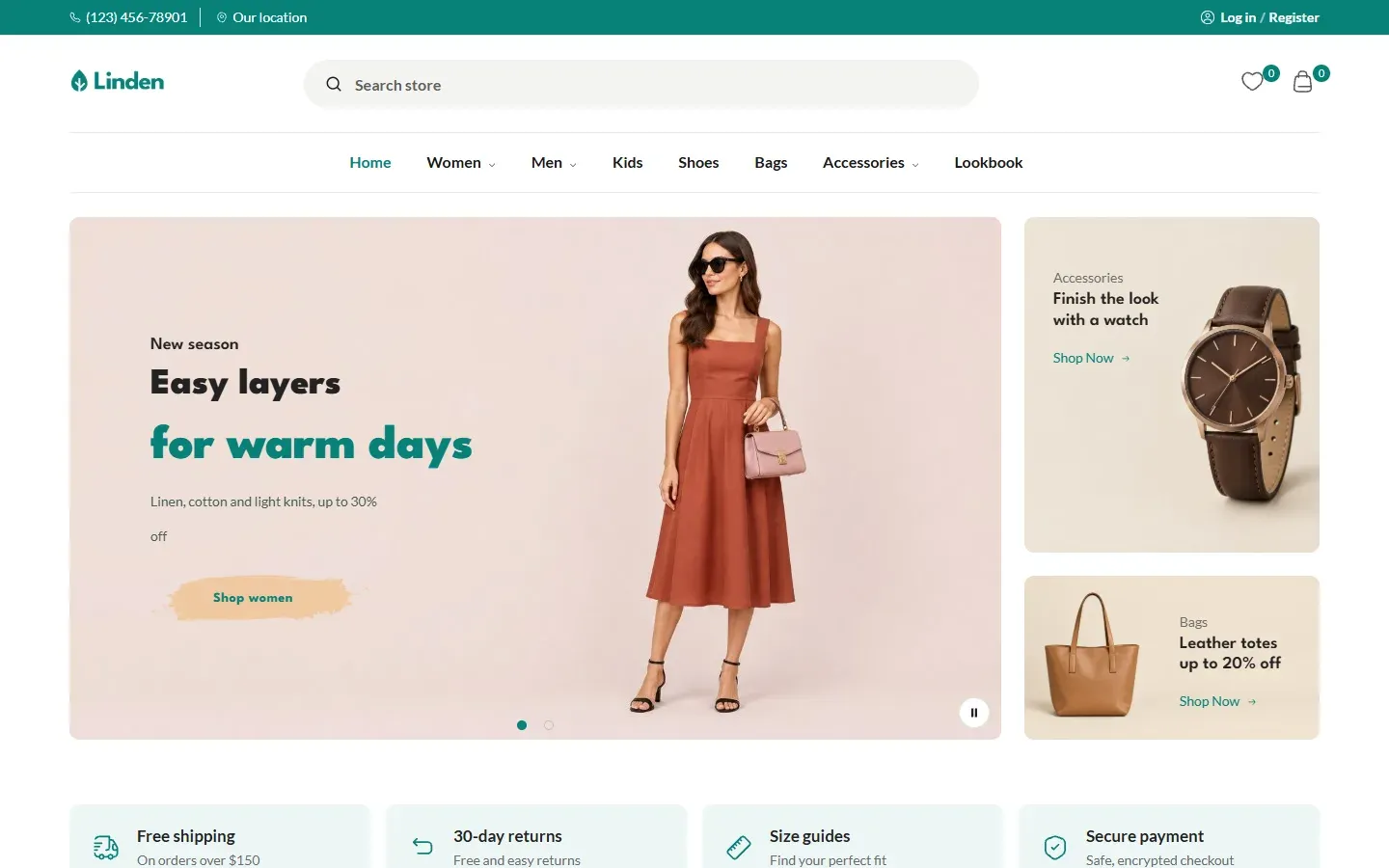
Linden on nopCommerce 5.00
What nopCommerce already does for a clothing store
nopCommerce handles the catalog side of clothing well. Colour can be a colour squares or image squares attribute (opens in a new tab), and each colour and size pair can be an attribute combination with its own SKU, GTIN and stock. What it doesn’t have is the shopping layer on top: size charts, outfit pages and the data Google wants for apparel.
| Shopper need | nopCommerce on its own | What a fashion theme adds |
|---|---|---|
| Choosing a colour | Colour squares and image squares as attribute types | Swatches on product cards and in filters; the picture follows the colour |
| Choosing a size | Attribute combinations with stock kept per combination | Size buttons that show at a glance which sizes are left |
| A size is sold out | Back-in-stock alerts only when the product has one stock count, not stock per combination | Alerts per size, and a report of which sizes people wait for |
| Size guide | None | Size charts per category or brand, in centimetres and inches |
| Outfits | Related products and cross-sells | Shop the look with numbered hotspots, and a lookbook page |
| Google data | Product structured data; a product group only for grouped products | One product group per garment with its colour and size variants, gender, age group and material |
The sold-out row surprises most store owners. In nopCommerce 5.00 the “Notify me when available” button is only set for products with a single stock count (opens in a new tab). Clothing is normally set to “Manage stock by product attributes” so that each size has its own stock, and for those products the button never appears, even when every size is sold out.
The product page
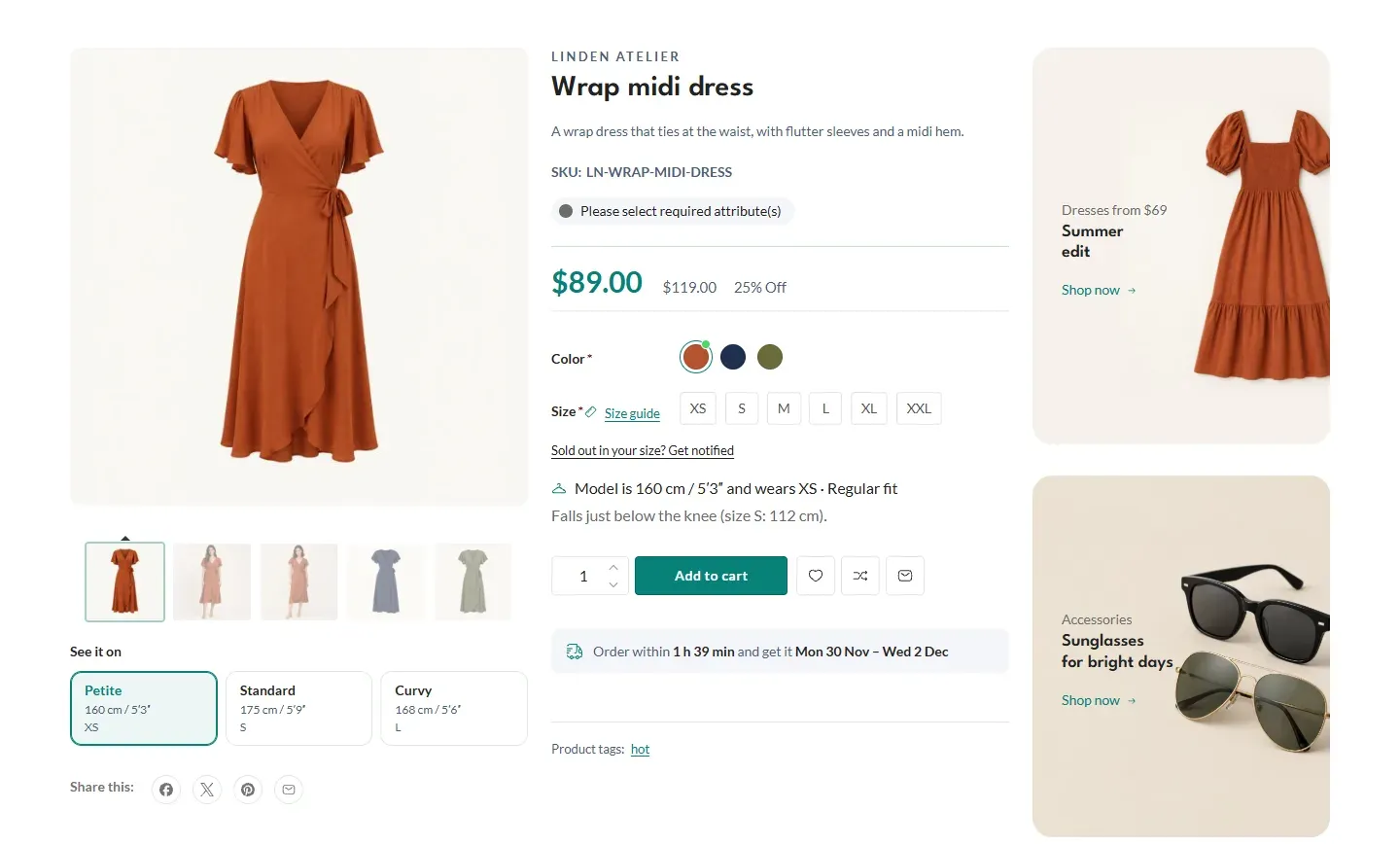
Most clothing returns are about fit, so the product page has to answer “will this fit me?” before the shopper adds to cart. On a fashion product page, check for:
- Colour swatches that change the main picture, not a drop-down list of colour names.
- Size buttons that mark sold-out sizes, instead of a list where shoppers find out at checkout.
- The size guide next to the sizes.
- The model’s height and the size they wear, and a short note on how the garment fits.
- A delivery estimate near the button, because a date sells better than “3–5 working days”.
Product page
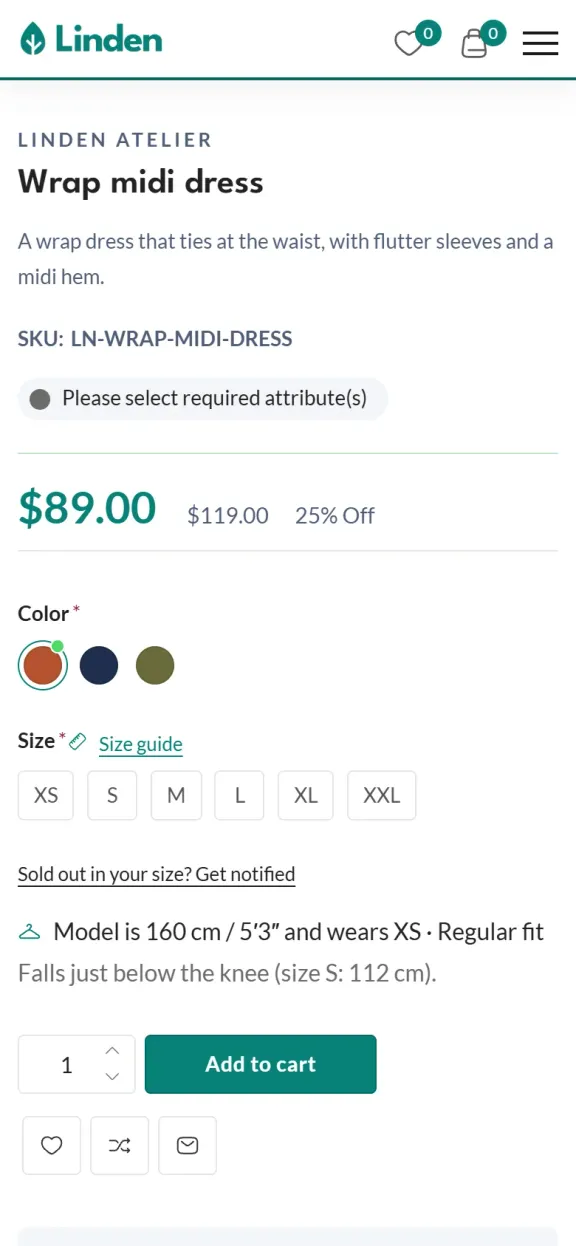
On a phone the same page is one long column, and the choice of size and the button must stay easy to reach. Linden keeps an add to cart bar fixed to the bottom of the screen once the shopper scrolls past the button.
Size guides and fit
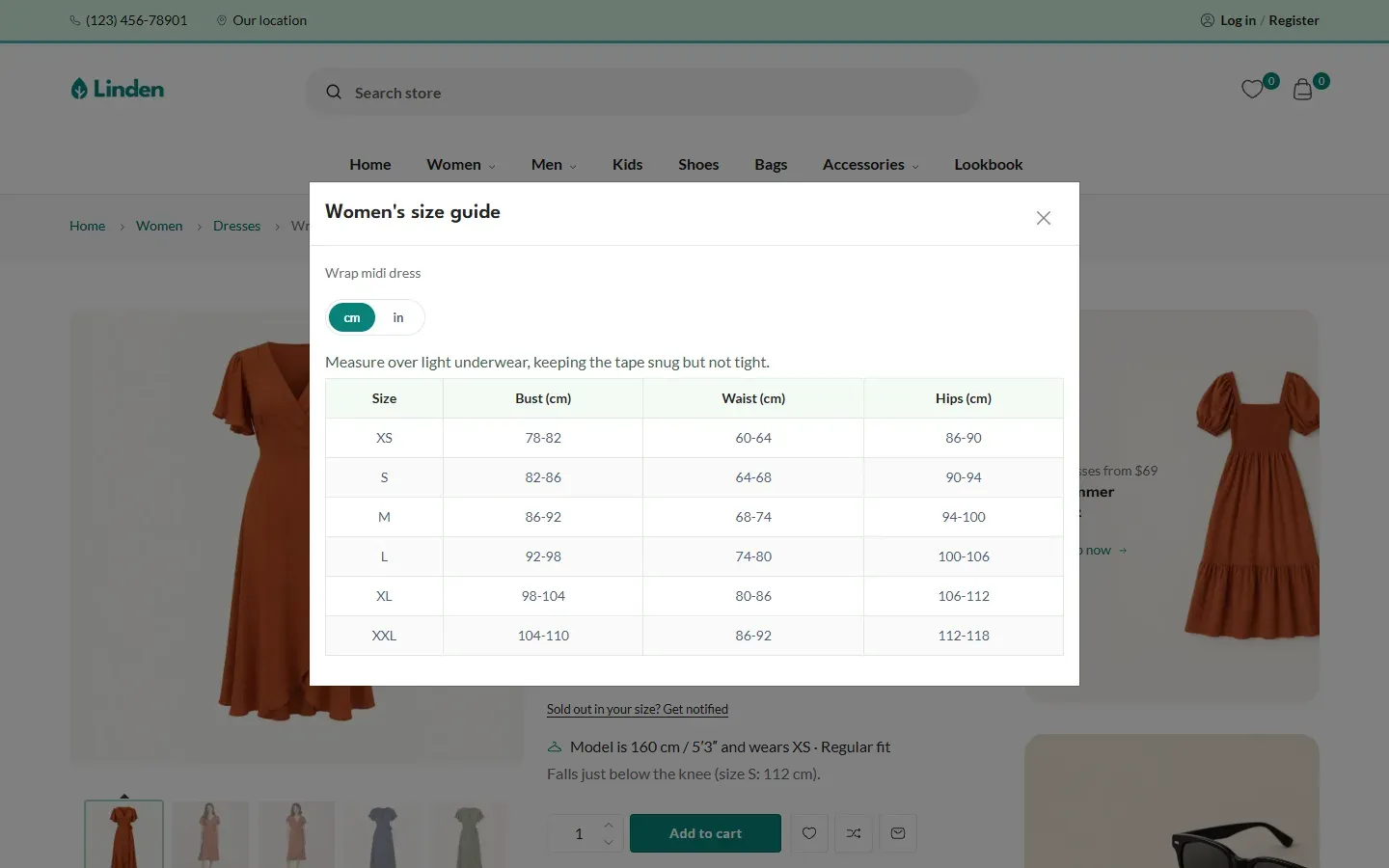
A size chart only helps if shoppers read it, and they read it when it opens on the product page. Good fashion themes let you keep one chart per category or brand (women’s tops, men’s trousers, a brand that sizes small) and attach it to many products, rather than pasting a table into each description.
Size guide
Fit information that reduces returns goes further than a chart:
- Model information: “Model is 160 cm and wears XS” tells shoppers more than any chart.
- Fit from reviews: nopCommerce supports extra review questions, so customers can rate fit from “runs small” to “runs large”, and the theme can show the result.
- Size alerts: when a size sells out, shoppers leave their e-mail for that size. The list of waiting shoppers also tells you which sizes to reorder.
Category filters
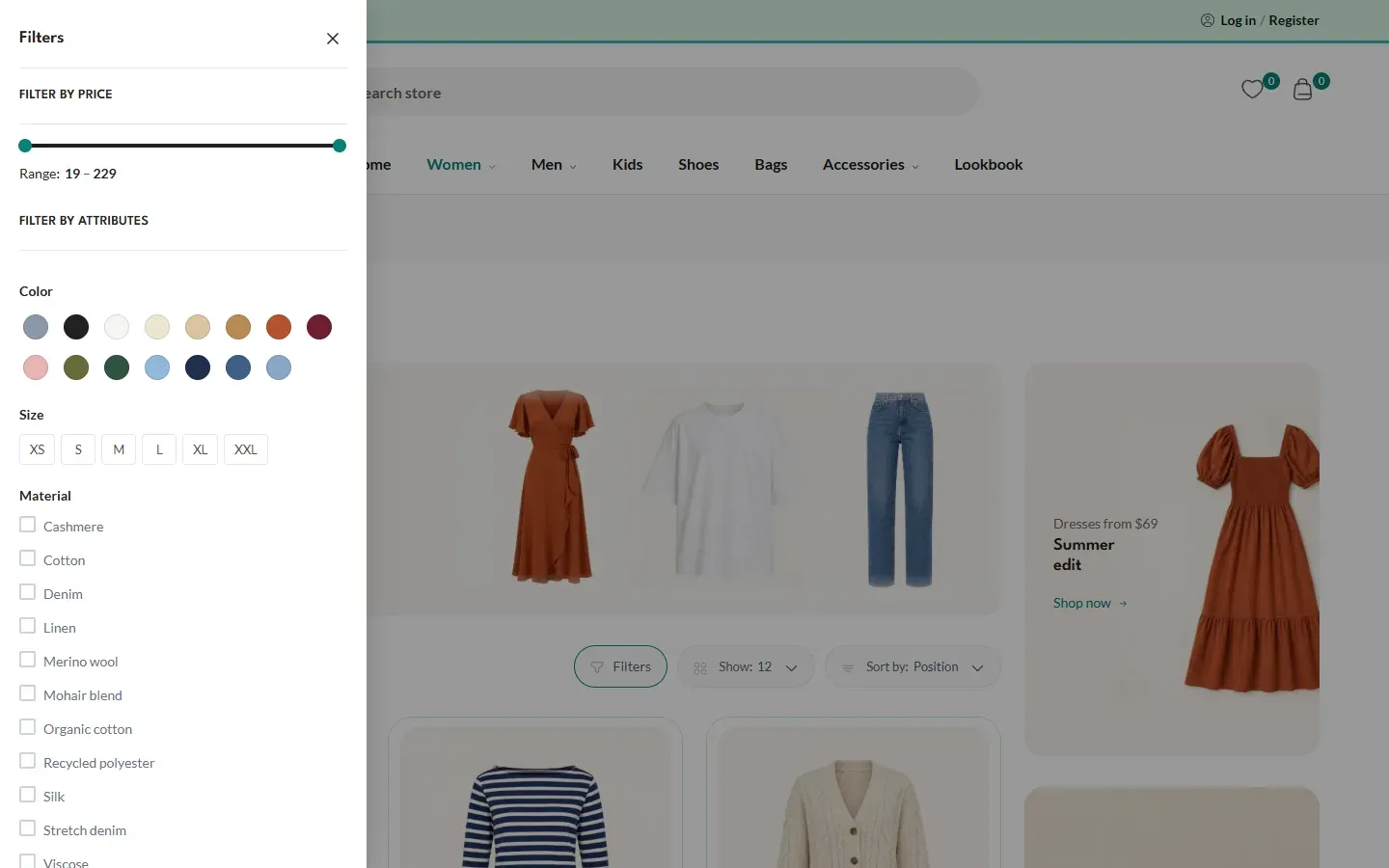
Clothing shoppers filter by size first and colour second. nopCommerce can filter a category by price, manufacturer and specification attributes such as colour, size and material, but its default theme shows them as lists of words. A fashion theme should show colours as swatches, sizes as small buttons and let shoppers combine them.
Category filters
Shop the look and lookbooks
“Shop the look” lets shoppers buy the outfit in a photo: each item in the picture has a numbered spot, and the products are listed beside it. It raises the number of items per order because the outfit is already put together. nopCommerce has related products and cross-sells, but nothing that ties products to points on a picture.
Shop the look
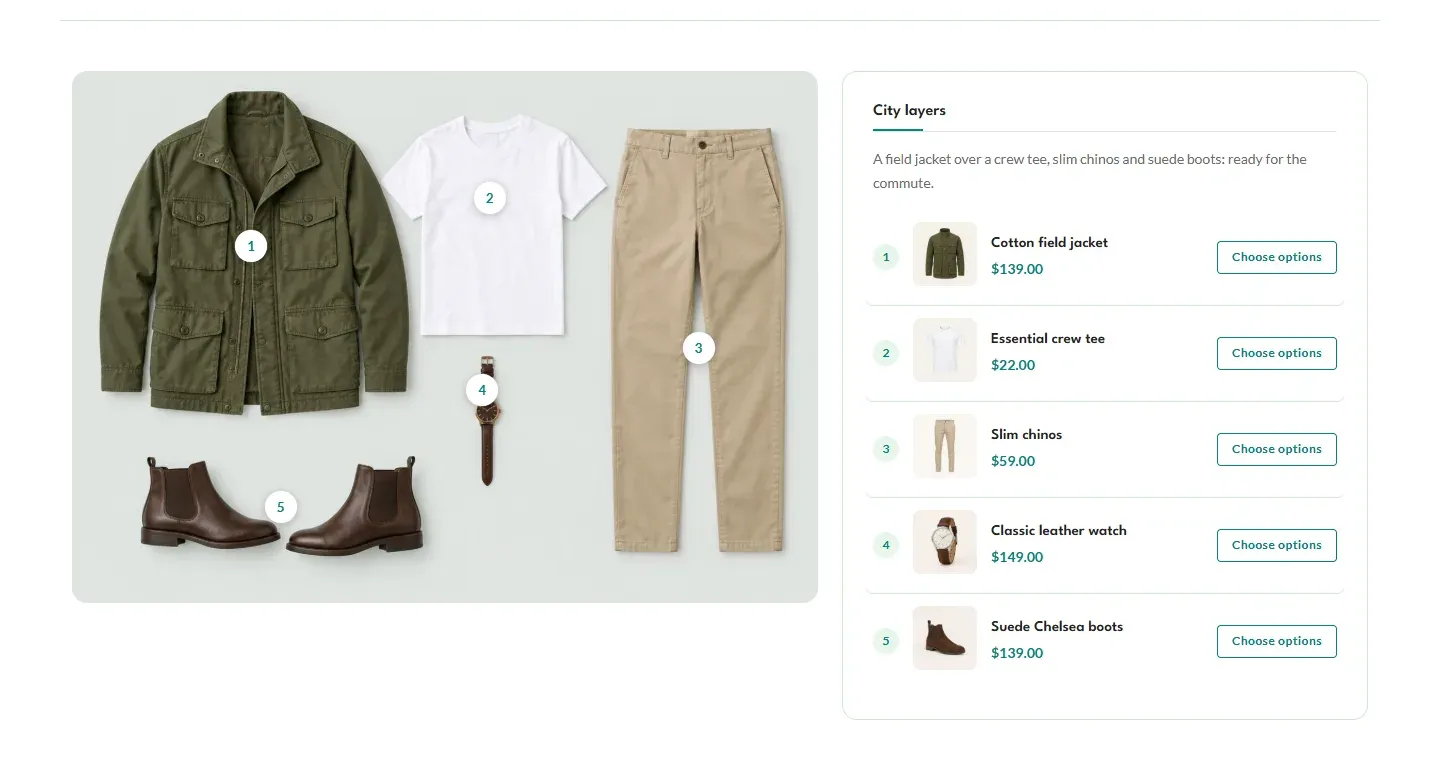
When you compare themes, check how a look is made. Placing the spots by clicking the picture in the admin area is much quicker than typing coordinates, and you will make new looks every season.
A homepage staff can change
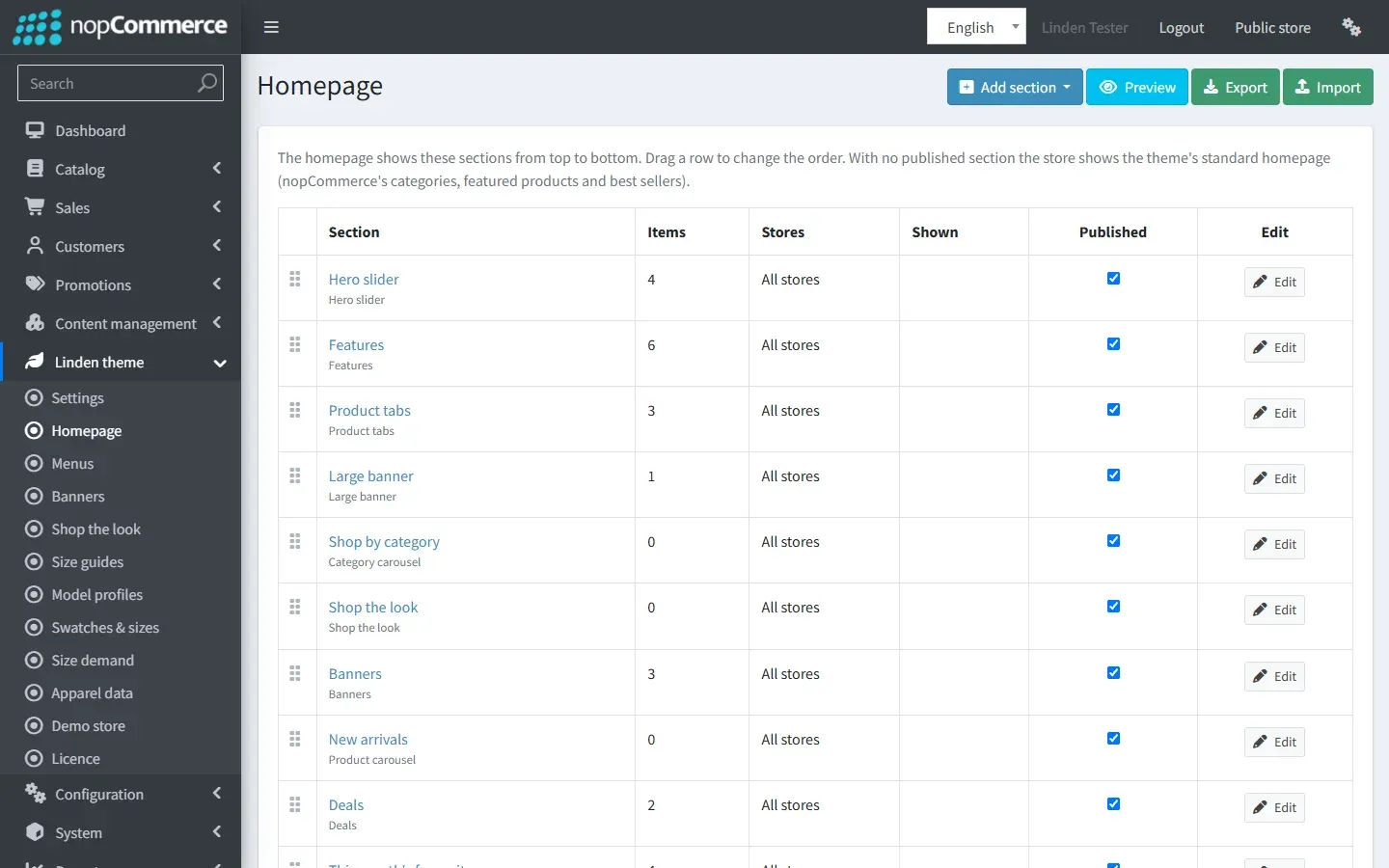
Fashion homepages change with every season, sale and new collection. If the hero slides, banners and product rows are written into the theme’s views, each change needs a developer. Look for a theme whose homepage is made of sections you add, reorder and publish from the admin area.
nopCommerce admin
Apparel data for Google
For clothing, Google Merchant Center requires colour, size, gender and age group in several countries, including the United States and the United Kingdom, and Google’s product variant markup (opens in a new tab) describes one garment as a product group whose variants differ by colour and size.
nopCommerce 5.00 prints product structured data on every product page, but it only makes a product group for grouped products (opens in a new tab), and it has no fields for colour, size, gender or material. A dress in three colours and six sizes is shown as one product with no variants. A fashion theme, or a plugin, should add the variants and the apparel fields from your attributes and categories. Our nopCommerce Google Shopping feed guide covers the feed side.
Mobile, speed and accessibility
Most fashion traffic is on phones, and fashion pages are heavy with pictures. Test a theme’s demo on a phone and in PageSpeed Insights (opens in a new tab) before you buy: sliders, video and large pictures that load before the shopper scrolls are the usual causes of a slow store.
Accessibility now matters legally for stores that sell in the EU: the European Accessibility Act has applied to online shops since 28 June 2025, with WCAG 2.1 AA as the usual measure. Ask the theme vendor what their accessibility statement covers. Colour swatches need names for screen readers, carousels need a pause button and the size guide window must work with the keyboard.
Checklist for testing a fashion theme demo
- Choose a colour on the product page: does the main picture change?
- Look at a product with one size sold out: is that size marked, and can you ask to be told when it is back?
- Find the size guide from the product page without leaving it
- Filter a category by colour and size together, then remove one filter
- Open the demo on your phone: are the add to cart button and sizes easy to reach with a thumb?
- Ask whether the homepage, menus and banners are changed in the admin area or by editing files
- Check the product page with Google’s Rich Results Test: is there a product group with colour and size variants?
- Ask which nopCommerce versions the theme supports today, and how it is updated for the next one
- Run the demo through PageSpeed Insights on mobile
- Read what the theme’s accessibility statement covers, if it has one
Our theme: Linden
We built Linden for clothing, shoe and accessory stores on nopCommerce. One package supports nopCommerce 4.70, 4.80, 4.90 and 5.00: you upload it once and nopCommerce installs the build for its own version. The theme comes with a companion plugin, so everything below is set up in the admin area rather than in code.
- Colour swatches, size buttons and stock per size, on product pages and product cards
- Size guides per category or brand, with a centimetre and inch switch
- Size alerts by e-mail when a sold-out size is back, and a size demand report
- Model information and a “See it on” switch between models of different heights
- Fit meter from customer reviews, from “runs small” to “runs large”
- Shop the look with a hotspot editor, a lookbook page and “Add all to cart”
- Homepage builder with 17 section types, plus menus and banners, all from the admin area
- Apparel data for Google: product groups with colour and size variants, gender, age group and material
- Free-shipping bar, delivery estimate and “Complete the look” suggestions
- Built to WCAG 2.2 AA, with right-to-left language support
Frequently asked questions
Does nopCommerce have a fashion theme built in?
No. nopCommerce ships one theme, DefaultClean, which is general-purpose. Fashion themes come from the nopCommerce Marketplace, from theme vendors, or are built for the store. The catalog features clothing needs, such as colour squares and stock per size, are part of nopCommerce itself.
How should I set up sizes and colours in nopCommerce?
Add Colour (as colour squares) and Size as product attributes, create an attribute combination for each colour and size you sell, and set inventory to “Manage stock by product attributes” so each combination has its own stock and SKU. A fashion theme then shows these as swatches and size buttons.
Why does the “Notify me when available” button not show on my clothing products?
In nopCommerce the back-in-stock subscription only appears for products whose stock is one number. When stock is kept per attribute combination, which is how most clothing is set up, the button is never shown. You need a theme or plugin that sends alerts per size.
Can I add a size guide to nopCommerce without a plugin?
You can put a size table in a topic page and link to it, or add it to each product description. Shoppers then leave the product page to read it. A theme or plugin can open the right chart for the product’s category or brand in a window on the product page.
Do product colours and sizes matter for Google Shopping?
Yes. For clothing, Google Merchant Center asks for colour, size, gender and age group in several countries, and Google’s product variant markup groups the colours and sizes of one garment. nopCommerce’s own structured data doesn’t include these for attribute combinations, so they come from a theme, a plugin or your feed.
Will a fashion theme work after I upgrade nopCommerce?
Only if the vendor makes a build for the new version. Themes don’t declare which versions they support, so an old theme still loads and then breaks on changed pages. Ask the vendor which versions it supports today and how updates are delivered.